Introduction
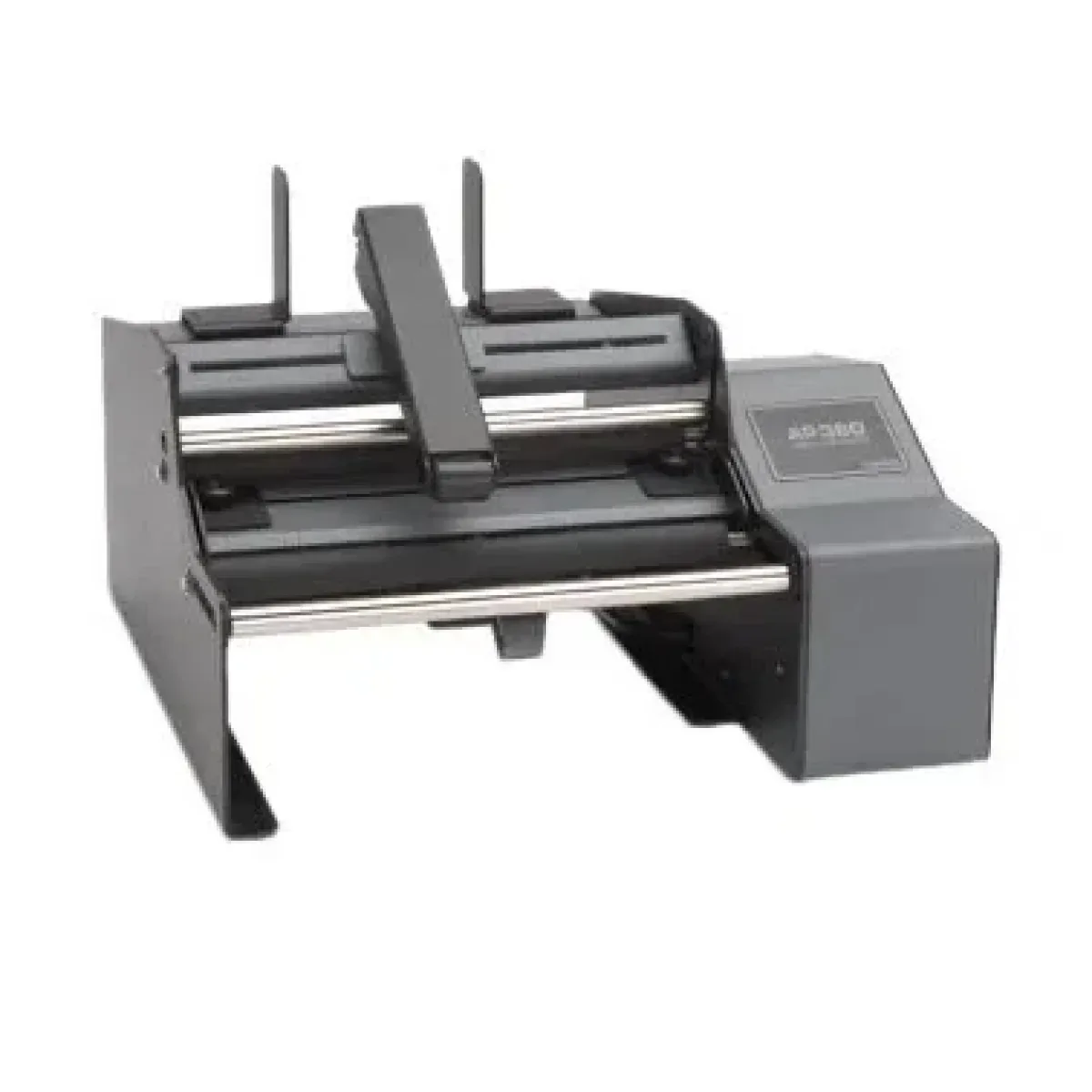
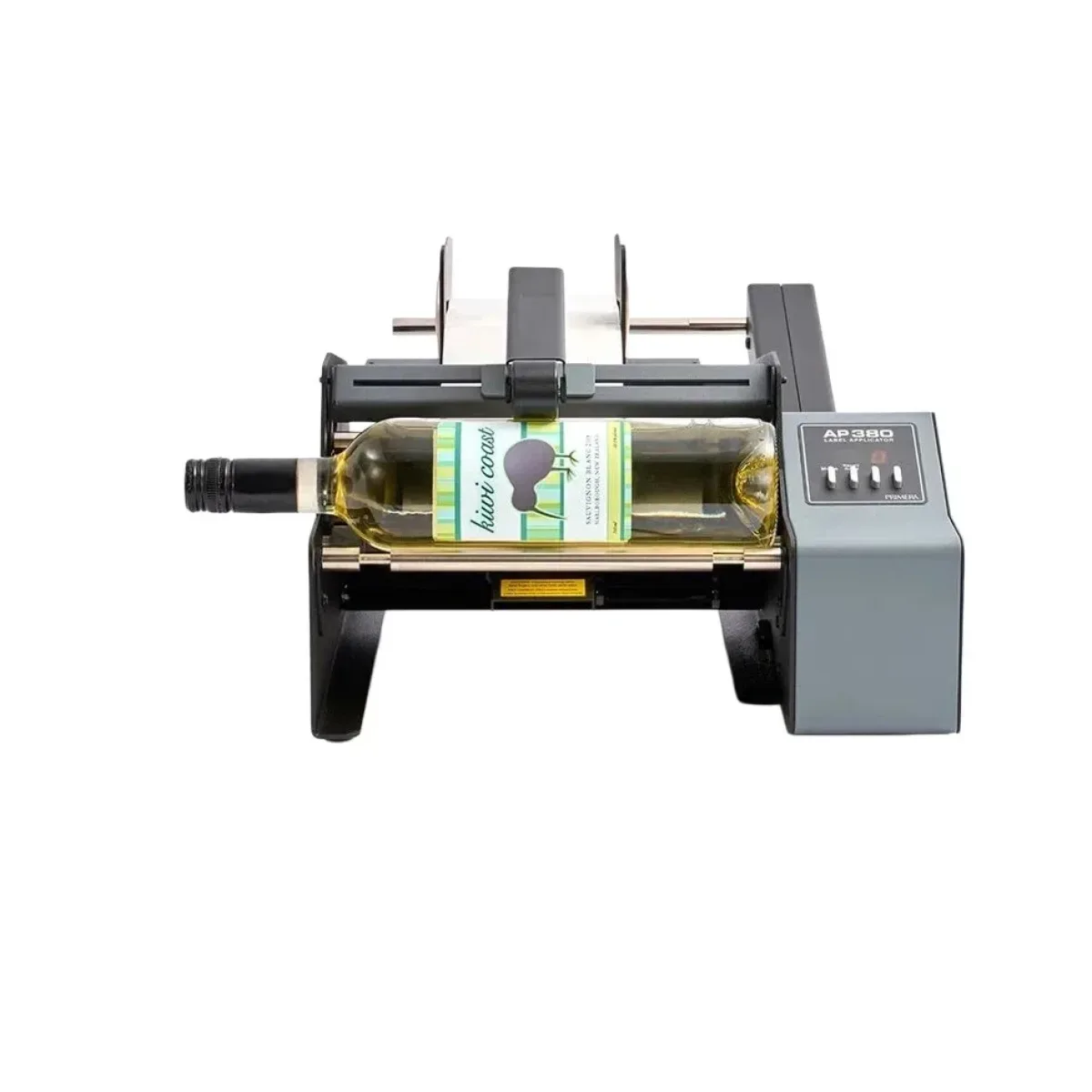
The AP360 Label Applicator, SKU 74291, and the Primera AP380 Label Applicator address the same buying decision: choosing a roll-label applicator for container labelling. The AP360 is positioned for applying single labels to cylindrical and tapered containers, including bottles, cans, jars and tubes. The AP380 is a closely related option for container labelling that adds double-label operation and a label-counter mode.
Quick Answer
Choose the AP360 Label Applicator when your workflow centres on single labels for cylindrical and tapered containers and you want to set the guides to match the label roll. Consider the Primera AP380 Label Applicator when double-label application or a label-counter mode is important to the way you manage labelling runs.
At-a-Glance Decision Summary
- Choose the AP360 Label Applicator for single labels on cylindrical and tapered containers, with bottles, cans, jars and tubes specifically identified.
- Choose the Primera AP380 Label Applicator when a foot-switch workflow needs a double-label mode or label-counter mode.
- Shared fit: both models are container label applicators with a container pressure arm and adjustable roll guidance.
Features and Specifications
| Criterion | AP360 Label Applicator | Notes | Primera AP380 Label Applicator |
|---|---|---|---|
| Primary application task | Apply single labels to cylindrical and tapered containers | Both are container label applicators. | Apply labels to containers |
| Container examples | Bottles, cans, jars and tubes | Both identify bottles and cans among supported container examples. | Bottles, cans, etc. |
| Single-label operation | Single labels | Both support one-label application. | Single-Label Mode: one label is applied when the foot switch is depressed |
| Multiple-label operation | Single labels | The AP380 also provides a double-label mode. | Double-Label Mode: two labels are applied when the foot switch is depressed |
| Container pressure component | Spring-loaded pressure arm | Both identify a container pressure arm. | Container Pressure Arm |
| Container drive system | Container placed against the applicator for label application | The AP380 explicitly identifies container drive and idler rollers. | Container Drive Roller and Container Idler Roller |
| Label-roll guidance | Set guides to match the label roll | Both provide adjustable roll guidance. | Roll Guides |
| Label count control | Not confirmed in available Knowledge | The AP380 includes a label-counter mode. | Label Counter Mode |
Key Differences
The primary distinction is the application task: the AP360 explicitly identifies single-label application on cylindrical and tapered containers, making it a direct fit where that container shape and one-label workflow define the job. The AP380 is also intended to apply labels to containers, but its documented double-label mode gives it a different workflow option when two labels are required from one foot-switch action.
Label-roll guidance matters because it is part of preparing each applicator for the roll in use. The AP360 calls for guides to be set to match the label roll, while the AP380 identifies roll guides; both therefore provide adjustable roll guidance.
The AP380 also explicitly identifies container drive and idler rollers, whereas the AP360 description identifies placing the container against the applicator for label application. Buyers who need label-count control should note that the AP380 includes a label-counter mode, while label count control for the AP360 is not confirmed in available Knowledge.
Advantages and Disadvantages
AP360 Label Applicator
Advantages: The AP360 is expressly specified for single labels on cylindrical and tapered containers, and it names bottles, cans, jars and tubes as examples. Its spring-loaded pressure arm and roll-matched guide setting support its documented container-labelling workflow.
Limitations: The AP360 is identified for single labels rather than a documented double-label mode. Label count control for the AP360 is not confirmed in available Knowledge.
Primera AP380 Label Applicator
Advantages: The AP380 supports one-label application in Single-Label Mode and two-label application in Double-Label Mode when the foot switch is depressed. It also identifies a label-counter mode and container drive and idler rollers.
Limitations: The AP380 application description is stated generally as applying labels to containers, while the AP360 specifically identifies cylindrical and tapered containers. The AP380 container examples are listed as bottles, cans, etc., rather than naming jars and tubes.
Why Choose the AP360 Label Applicator
Choose the AP360 Label Applicator when the priority is a single-label workflow for cylindrical and tapered containers. The model is particularly well matched to operations labelling bottles, cans, jars and tubes, and its guides are set to match the label roll.
The AP360 remains the focused choice where a documented double-label mode and label-counter mode are not required for the intended workflow. Its spring-loaded pressure arm is a stated component of the application process.
Who Should Choose Each Model
Choose the AP360 Label Applicator if:
Choose the AP360 Label Applicator if you apply single labels to cylindrical and tapered containers such as bottles, cans, jars and tubes. Choose it if setting guides to match the label roll suits your roll-handling process.
Choose the Primera AP380 Label Applicator if:
Choose the Primera AP380 Label Applicator if you need two labels applied when the foot switch is depressed, or if a label-counter mode is important. Choose it if the explicitly identified container drive and idler rollers fit your preferred container-handling arrangement.
Conclusion
The AP360 Label Applicator is the leading option for buyers seeking documented single-label application on cylindrical and tapered containers, including bottles, cans, jars and tubes. The Primera AP380 Label Applicator is the stronger alternative when double-label operation or label-count control is a required feature.
Methodology and Sources Reviewed
This comparison reviews the product details and approved model-comparison records for the AP360 Label Applicator and Primera AP380 Label Applicator. The assessment compares their stated application tasks, container examples, label modes, pressure components, container handling, roll guidance and label-count functions; it does not represent hands-on testing.
Frequently Asked Questions
Is the AP360 Label Applicator suitable for jar and tube labels?
Yes. The AP360 Label Applicator identifies bottles, cans, jars and tubes as container examples and is specified to apply single labels to cylindrical and tapered containers.
Which model supports applying two labels with one foot-switch action?
The Primera AP380 Label Applicator supports Double-Label Mode, in which two labels are applied when the foot switch is depressed. The AP360 Label Applicator is identified for single labels.
Does the AP360 Label Applicator have a label-counter mode?
Label count control for the AP360 Label Applicator is not confirmed in available Knowledge. The Primera AP380 Label Applicator specifically includes a Label Counter Mode.
How do the AP360 and AP380 guide label rolls?
The AP360 Label Applicator uses guides set to match the label roll. The Primera AP380 Label Applicator identifies Roll Guides, and both models provide adjustable roll guidance.
Find the Right Product
Choose the AP360 Label Applicator for documented single-label application on cylindrical and tapered containers, or compare the Primera AP380 Label Applicator if double-label and label-counter modes are required.